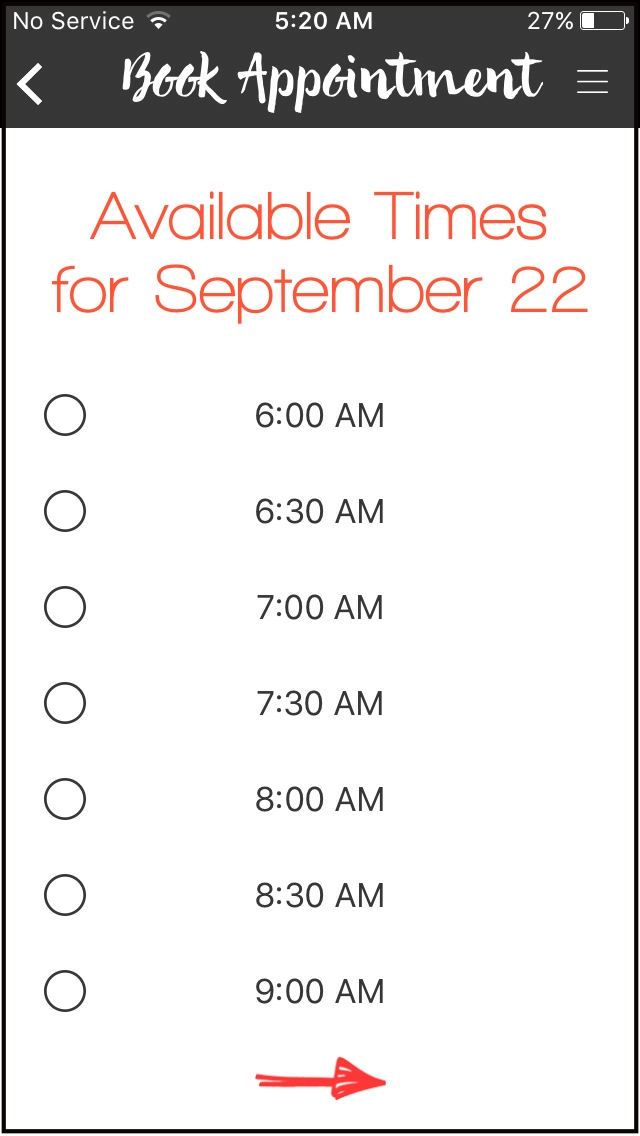
How To Adjust Available Time Interval on IOS app using Web Dashboard.
-
First, log in using your Admin credentials.
-
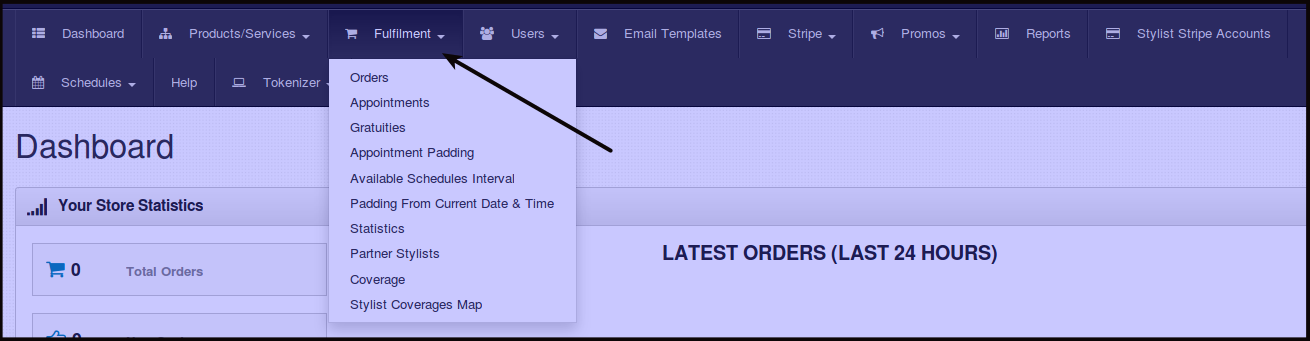
Click Fulfillment.
-
Click Available Schedules Interval.
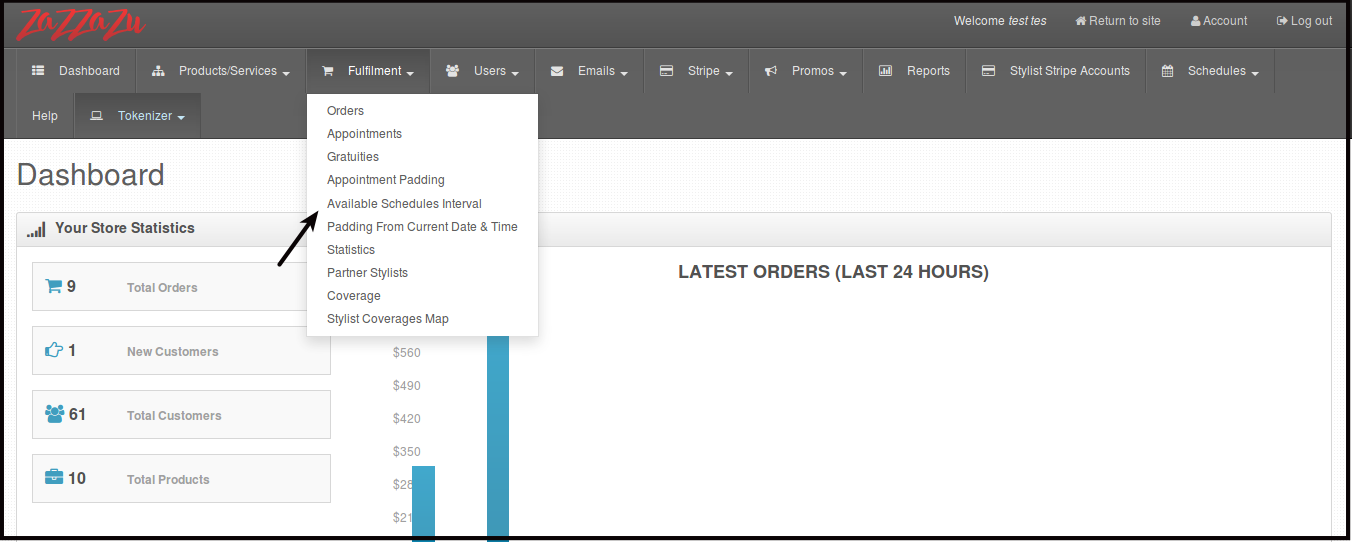
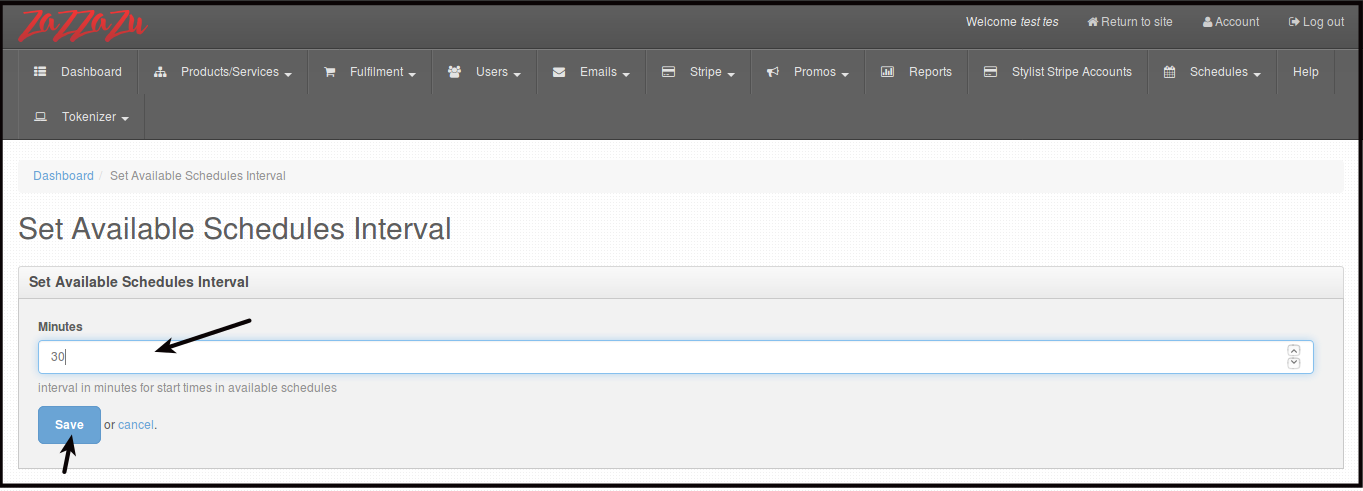
You will be directed to this page.
-
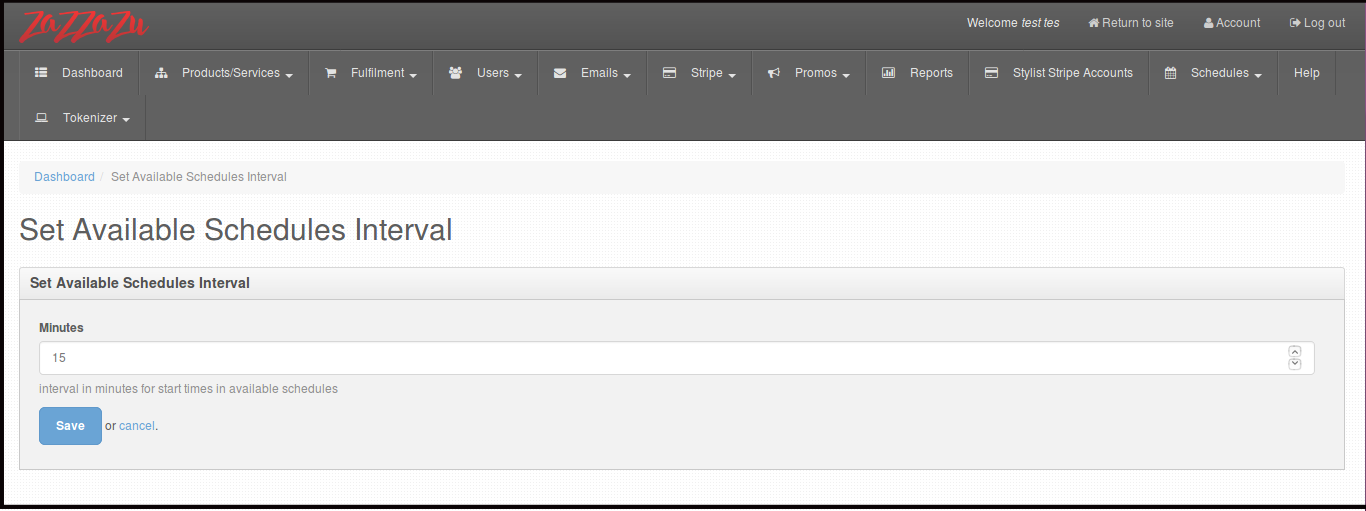
Change the number under the box Minutes, that will determine the Available booking appointment intervals. Then click Save.
You will be directed to this page.
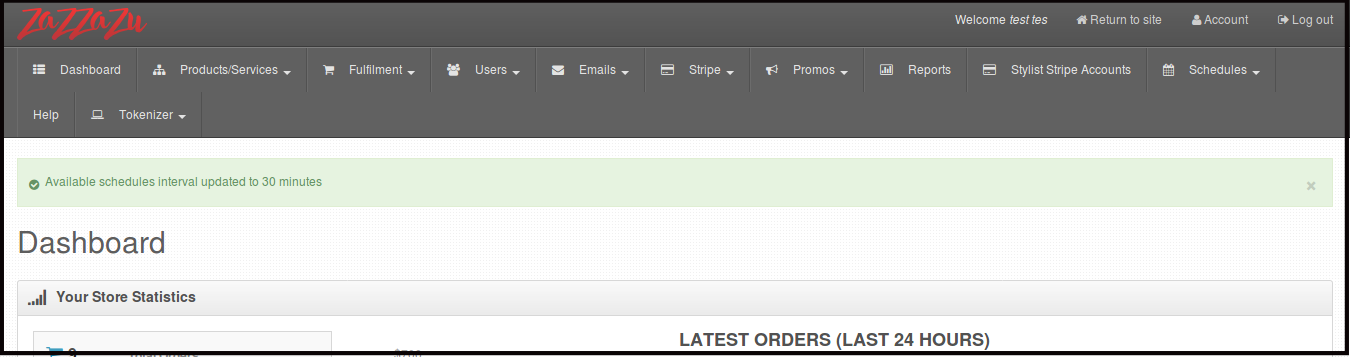
Here is what you are going to see on available schedules for booking on the app.